Bring Old Photos Back to Life
Our AI restores scratched, faded and damaged photos - with subject-aware repair, optional colorization and damage auto-detection for portraits, groups and scenes.
Powered by OpenAI GPT-Image-2.5
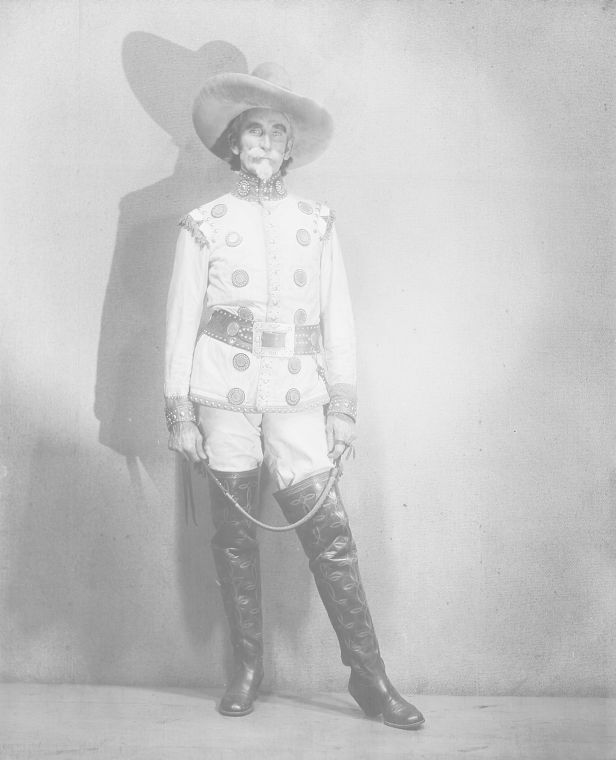
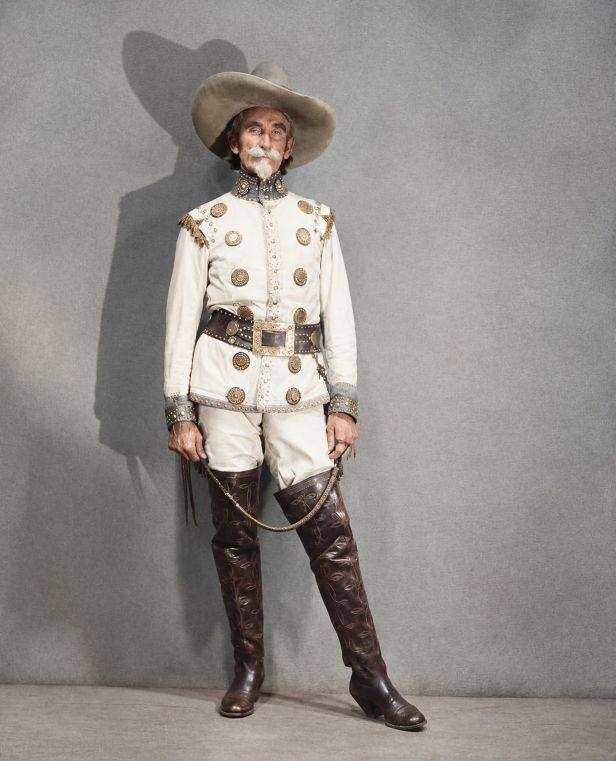
Powerful AI Photo Restoration Features
Subject-aware repair that respects the original
Subject-Aware Repair
Choose Auto, Portrait, Group, Landscape, Person + Scene or Other - the model adapts its repair strategy to the subject.
Damage Auto-Detection
Light, Moderate, Severe or Very Severe - pick a level or let Auto assess scratches, tears and fading on its own.
Color Handling
Keep black & white, natural colorize, restore original colour, or apply a vintage tone - your call per photo.
Gentle Quality Output
Repairs blend into the original so the restored photo still feels like the same moment - not a synthetic replacement.
How to Restore an Old Photo
Three steps from damaged to restored
Upload the Photo
Select an old photo (up to 10MB, JPG/PNG/BMP and more). We compress larger files automatically before upload.
Pick Subject, Damage & Color
Set the photo type, damage level and colour handling - or leave them on Auto and let the model decide.
Download Restored Photo
AI repairs scratches, tears and fading (and colorizes if you asked) in 1-3 minutes, ready to download and share.
Common Use Cases
Where AI Photo Restoration helps most
Family Archives
Rescue faded grandparents' portraits and scratched childhood photos before the originals are lost.
History & Memorabilia
Restore group shots, landscapes and event photos for anniversaries, memorials and local history projects.
Colorize Black & White
Add natural colour to old black-and-white photos - or restore the original colour on faded colour prints.
Frequently Asked Questions
What kinds of photos can I restore?
Portraits, group shots, landscapes and mixed person + scene photos all work. Pick the matching Photo Type, or leave it on Auto. Very small or extremely damaged photos may need stronger damage levels for the best result.
Should I keep the photo black & white or colorize it?
Keep B&W preserves the original tone. Natural Colorize adds plausible colour. Restore Color revives faded colour prints, and Vintage Tone gives a warm retro look. Each option suits a different source and intent.
How long does restoration take?
Most photos finish within 1-3 minutes depending on resolution, damage level and colorization.
Is my photo data safe?
Absolutely. We never store your photos permanently. All data is automatically deleted within 48 hours after processing.
Ready to Restore Your Old Photos?
Upload an old photo and let AI repair the damage in minutes
Start Restoring Now